This is the fastest way to solve your problem with DJI support, and it only takes a few steps!
Suppose your drone suddenly shows an error message and you cannot resolve it using the procedures listed below:
- the “On/Off variant”
- a technical check
- a software update
- simple component replacement
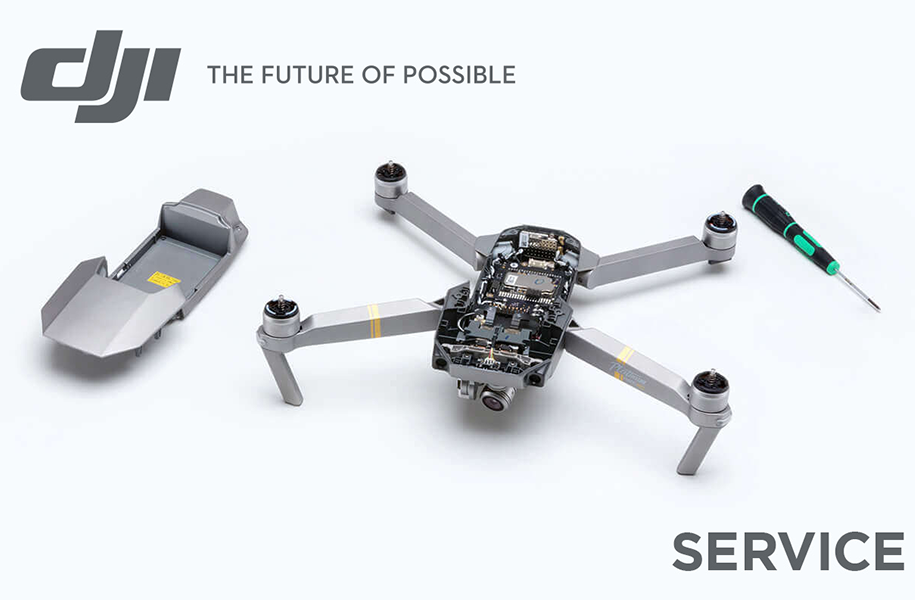
The DJI online repair service provides the opportunity to send your defective drone to DJI quickly and easily without intermediaries and with direct status updates. This is the fastest way to solve your problem with DJI support and requires only a few steps.
Good service at DJI starts with reliable quality, fast online support, straightforward repair processing, and comprehensive maintenance service – from loss reporting to replacement via DJI Care Express.
Error Analysis DJI Hobby Drones
Screenshots from the DJI Fly App can help DJI support quickly locate the error. In addition, detailed photos are particularly helpful for hairline cracks or deformations.
Through the DJI Assistant (software), error logs can also be shared directly with DJI. Note that there are different DJI Assistants for different models.
Example: DJI Assistant 2 (Consumer Drones Series) Release Notes V2.1.37 usable for the Mavic 3 series.
Error Analysis DJI Enterprise Drones (Commercial)
Enterprise drones already have the option to narrow down the error number or damage via the Health Management System (HMS) and can therefore provide detailed information for error analysis (we will cover this in more detail in another article).
Screenshots from the DJI Pilot App or Pilot 2 App via the controller can also help the service quickly locate and read the error.
In addition, detailed photos, especially for hairline cracks, deformations, or loose materials. For enterprise drones, payloads may also be affected by malfunctions. These can also be sent for repair.
Via the DJI Assistant (software) specifically for enterprise drones, error logs can be shared directly with DJI. Software versions can also be downgraded if there are compatibility issues with payloads (cameras, etc.).
But here we are now talking about the service, because with just a few steps you get a shipping label and can send the drone to the respective service center.
Step 1: Visit the website: Service Request – DJI
Select the field Online Repair Request.
Important: You need a DJI account, because after clicking this field, you can carry out all further steps with your registered DJI products.
If you don’t know your password or login, you can also log in via Google, Facebook, etc.
Step 2: Submit Repair Request
The repair request is carried out in three sections. It is important that you know your product and, if applicable, the serial number.
| Confirm repair product | There are 3 options: - Select from list of own products - Search via serial number - Select from DJI product overview |
| Fill in repair request | After the product is selected/found or entered, it will be displayed for the further process with serial number and model. |
| Fill in incident description – select product error Here, the translation from English to German can cause issues. The idea is to select the damage or components to be complained about. Under each point, there is a detailed dropdown menu. Under the main point, the remarks are shown again in summary. | |
| Additional aids: - Online customer service - Check repair fees - Accident or damage videos - Detailed description These can help DJI support better understand the device error and give the customer the opportunity to get initial information about the required effort. | |
| Confirm delivery address Return address of the product Address of the DJI Service Center (The service center is selected according to the type of damage/processing and may, in some cases, be located abroad.) Important: After submitting the request, you will receive the repair request with a repair number. Only after receiving this can you send the product. |
For companies, the tax number is requested at the end; for private individuals, this field is not relevant.
After submitting the request, you will receive an email from DJI with a free shipping label to send your product to the service center.
Costs and completion: The service center checks your product and sends you a cost estimate. After payment of the service fees, the product is repaired and sent back to you.
You can directly view the progress of the service to see the status of your DJI drone repair. In addition, old cases can also be viewed, and pending cases checked. This is especially interesting for drone fleets.
Tip: This can also be done via the support function on the DJI controller. For this, it must be connected to Wi-Fi.
In which cases can the DJI online repair service be used?
Repair & Replacement Service
The DJI repair service is used to check and fix product defects. If a manufacturing defect occurs within 30 days, a replacement device can be requested through the replacement service. Alternatively, DJI Care Express, which we cover in another article, offers a particularly fast replacement process.
Flyaway & Maintenance Service
If a drone is lost or has a “flyaway,” this can be reported directly via the flyaway report. For regular maintenance or technical checks, the maintenance service is available.
Return & Dealer Contact
Products purchased directly in the DJI store can be returned there under “My Orders.” Purchases through other dealers are returned via the respective distributor.
What must be considered?
Data backup before sending
Before each shipment, all data should be backed up, as DJI may delete or format the internal storage during maintenance or repair. This protects personal data.
Shipping & Delivery
The product should be sent within seven days after the request. Ideally, complete, but without personal accessories. In case of warranty, DJI covers shipping costs for both ways; outside warranty, only return shipping.
Repair costs & warranty
If DJI identifies a manufacturing defect, the repair or replacement is free of charge. After warranty expires, a cost estimate is issued. Prices for accessories are available on the DJI website.
Firmware & Check
DJI updates the firmware free of charge during the service process to ensure compatibility and safety. For error analysis, disassembly of the device may be required, during which stickers or seals may be damaged.
Processing status & communication
The current repair status can be viewed online via the DJI service request. In urgent cases, DJI additionally informs via email or phone about progress.
Through proper maintenance and safe flying, such error messages and damages can of course be reduced!
We wish you always a safe landing, and if you have any questions, our team is happy to assist you.
Are you interested in this topic? Check it out!