In this article, you will learn:
1. What the C classification is and why C2 matters for EU-compliant operation.
2. Which models the DJI C2 procedure is intended for (Mavic 3 Enterprise Series, Matrice 30 Series).
3. That Remote ID is a prerequisite and how it is activated via Firmware V7.1 (DJI Pilot 2).
4. How to apply for the C2 label directly in the DJI Pilot 2 App (popup or Service & Support).
5. Which application data is required and that the label comes by post (without tracking, delivery time depends on location).
6. Why you must also install low-noise propellers (available separately; procurement, e.g., via Pro Fly Center).
7. That propeller tests/verifications are ongoing for M3E/M3T/M3M and will be available for purchase after completion.
8. How to upload the proof of conformity (photo with label + low-noise props).
9. Where you get the C2 certificate (download in the app; then carry it with you during flight operations).
10. Why you should plan for lead time (shipping label + procurement of propellers); Support: info@proflycenter.com.
What is a Class Identification and how do you apply?
A certification that operators may need to obtain is the Class Identification Level (Read the EASA Class Guidelines), which varies from drone to drone. To comply with legal deadlines, DJI Enterprise has set up a simple procedure for current users of the Mavic 3 Enterprise Series and the Matrice 30 Series to obtain the C2 Class Identification Label.
If you own one of the following versions:
- Important Updates
- One Tap
- Application
- Simple Order
- Direct application or contact with the Pro Fly Center
- Get the C2 label and replace the propellers
- Quick Proof
- Final Download

Step 1 – Update DJI Pilot 2 to V7.1
Remote ID is part of C2 compliance. Update the drone firmware via the DJI Pilot 2 App to Version 7.1.

Step 2 – Apply for the C2 Label in the App
After the update, a popup leads directly to the application page. Alternatively: Open Service & Support in DJI Pilot 2 and start the process there.


Step 3 – Fill out the Application
Fill out the short form and submit it. The C2 label will be sent by post (without tracking number; delivery time varies depending on the region).

Step 4 – Attach Label & Install Low-Noise Propellers
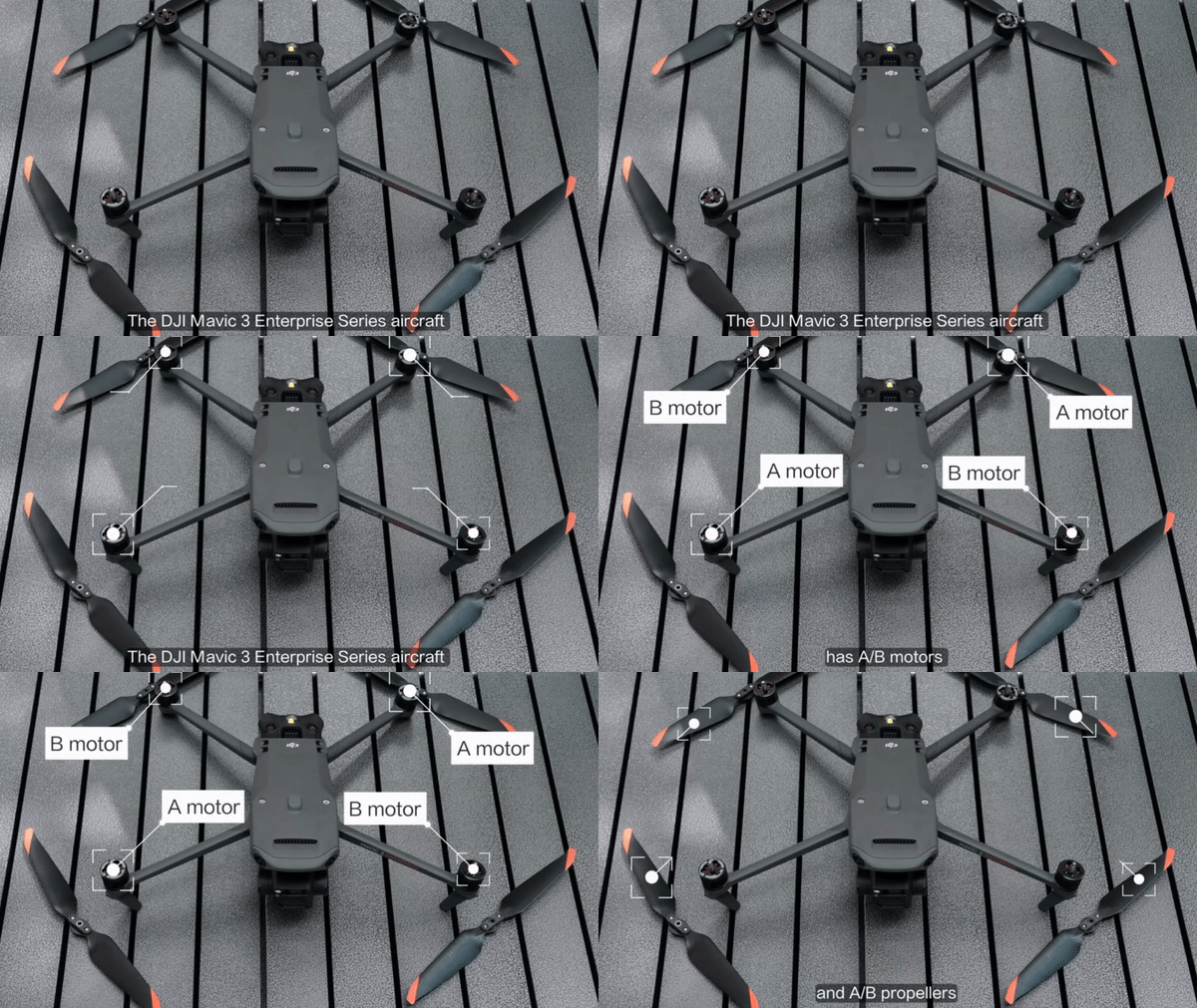
The label alone is not enough: low-noise propellers must be installed for C2 conformity. These are available separately (including via Pro Fly Center). Final tests/verifications are ongoing for M3E/M3T/M3M; the props will be available afterwards.
Step 5 – Upload Proof of Conformity
Upload a photo of your drone with the attached C2 label and low-noise propellers in the app – this serves as proof.

Step 6 – Download C2 Certificate
The final document appears in the DJI Pilot 2 App after review. Download it and carry it with you during flight operations.

Scheduling & Support
Plan buffer time for postal delivery of the labels and the procurement/installation of the propellers. Questions? info@proflycenter.com – we help with the application, hardware, and implementation.
Are you interested in this topic? Check it out!